
A great productivity aid in creating guides
Snagit is a powerful screen-capture program that enables you to easily and quickly record your screen and webcam. Developed by TechSmith Corporation, this handy utility software features a picture-in-picture function, cross-platform capabilities with formats and editing tools, and various video improvements.
Top Recommended Alternative

As a recording software, Snagit offers a wide variety of tools to help you capture your screen activity and even create helpful videos and GIFs for boosted productivity. This program has a 15-day free trial and two one-time purchase plans—both of them offering a lifetime license with one year of software maintenance included.
What is Snagit used for?
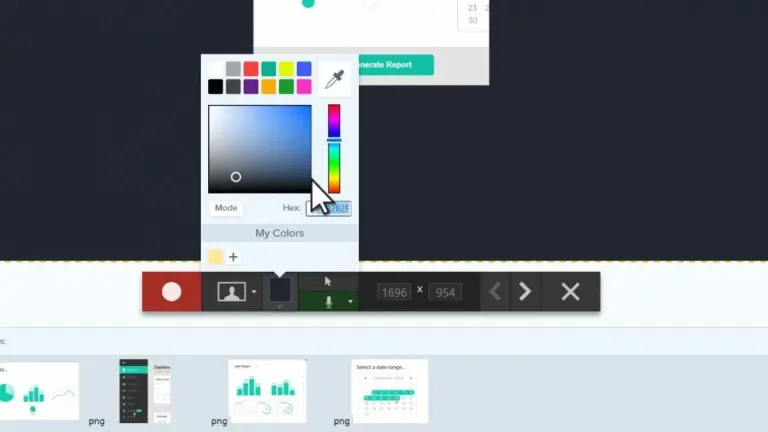
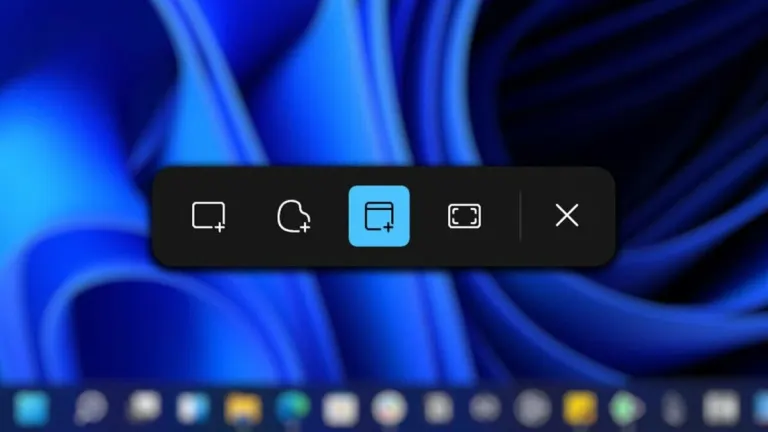
At its core, Snagit is a screenshot or screen-capture program that can record video display and audio output. It essentially replaces your native Print Screen key’s function and gives it additional features that allow you to personalize and edit your shots on the spot. Some of these include cool functions like panoramic scrolling capture for a more streamlined look, the ability to grab text off screen-captures and paste them onto documents, and picture-in-picture recording to show two screens.
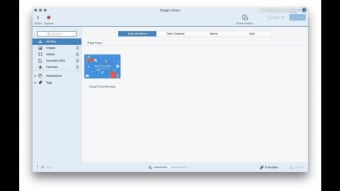
Thus, you can create various videos, images, and even GIFs that are ready to be shared on other programs and even online platforms. It has cloud library compatibility that syncs your data, allowing you to find, open, and edit capture files fluidly as you switch between computers. Regardless of these devices’ operating systems, the software’s cross-platform capabilities also let you use any of the supported formats—like MP4, BMP, GIF, ICO, and JPEG—with ease, thanks to its user-friendly universal interface.
Is Snagit free?
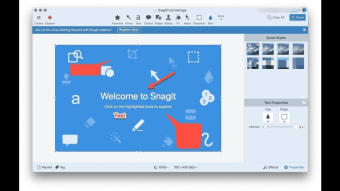
Unlike some screen-capture tools, Snagit only offers a free 15-day trial. However, this is fully functional and encourages you to test all of its features. You’ll need a TechSmith account to access the program after installation but registration is easy enough. After launching it, you can personalize the functions a bit. The actual interface is a small window that contains three main tabs on the left side: All-in-One, Image, and Video. These pertain to the three main types of files you can create with this tool.
Each of the tabs display a few functions you can toggle on and off, like “Preview in Editor” and “Copy to Clipboard.” However, they all share one button to work: your Print Screen key. Simply press it to activate the crosshair cursor and start selecting a capture region. Afterward, it will open the editor and you can then add symbols, text, and stickers. You can also trim parts of the videos and even implement step-by-step procedures if you’re creating a guide.
It’s highly intuitive —although the editor window could still use some of the same built-in quick tutorials found in the screen-capture tool. Compared to its rival programs, there’s not much to dislike here. However, it would be nice to control some output aspects of the files you record, such as being able to change the default image format of PNG to whatever you prefer. Still, this software is quite versatile and its one-time purchase of a lifetime license—which can be shared by two devices—is a great bargain.
All-in-one package for a simple utility
All in all, Snagit is a formidable screen-capture tool that has much to offer. While the tutorial doesn’t fully guide you throughout your first usage—and you have to explore on your own with some help from the editor—the interface is still straightforward enough and features cross-platform markup consistency to keep all of its handy functions in the same place. Plus, its free trial is really great for testing all of its capabilities and you don’t have to keep buying subscriptions for it.